
Invoice Submission and Logs
Invoice Submission Workflow
If Avalara ELR is activated, invoices are processed as follows:
- The invoice is created as usual in Nitrobox.
- If Avalare ELR is enabled, the document is automatically:
- validated
- transformed into the correct format
- submitted to Avalara
- Avalara handles transmission to the appropriate target platform.
- The transmission status is returned and shown in Nitrobox.
Transmission Status & Logs
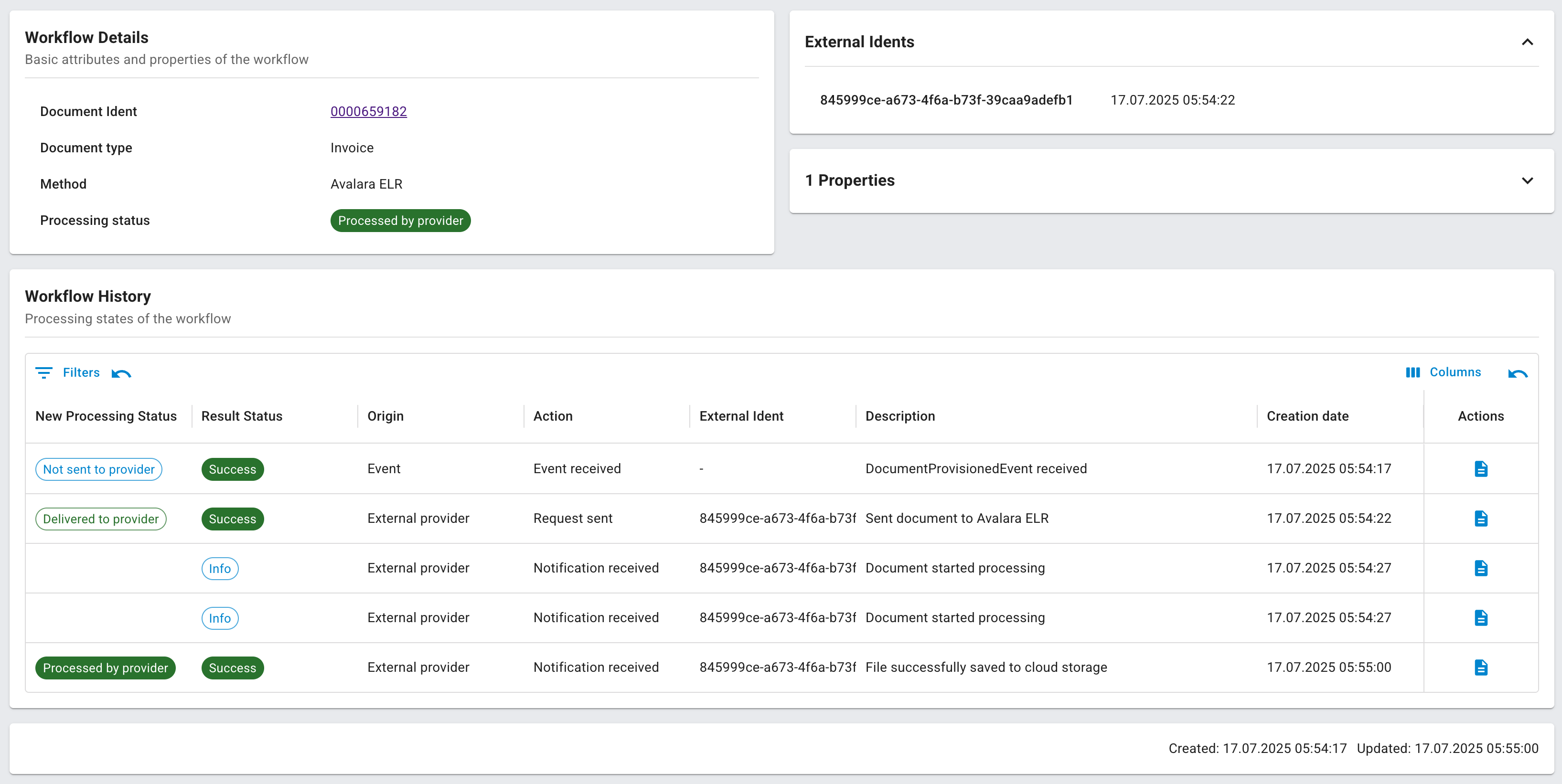
In the E-Invoicing Provider -> Workflows for each invoice, you can view:
- the transmission protocol
- the technical status (Pending, Success, Failed)
- any error messages (e.g., XML validation issues)
If you have enabled API logging, you’ll also see:
- full request/response payloads (with REST request / REST response)
- timestamps and target systems
- plain text messages from Avalara
Therefore, click on the right button under Actions "properties" and select which result you want to see

Updated 2 days ago